
Staying connected is more than a convenience now; for millions, it’s a necessity. For those enrolled in SNAP benefits, the option of a free phone with SNAP support can be transformative.
This article explores how qualifying individuals might receive a modern smartphone, why this benefit exists, and what steps may help smooth the application process.



This guide is ideal for US residents currently part of the Supplemental Nutrition Assistance Program (SNAP).
If you or someone you know is looking for a way to afford reliable communication, this overview delivers clear, up-to-date direction. Access to technology can open doors to work, healthcare, and community, so the benefit is more important than it first appears.
You'll find practical information, eligibility basics, walkthroughs for application, and insight into what to expect after approval. The goal: give readers knowledge, a bit of reassurance, and realistic expectations as they navigate the process.
Understanding Free Phone Programs Linked to SNAP Benefits
The federal government, in partnership with phone carriers, runs support programs aimed at closing the digital divide.
The Lifeline program and the Affordable Connectivity Program (ACP) both offer discounts or free communication services to those who qualify—sometimes coupling a free device with low-cost or even no-cost phone plans.
Being a SNAP beneficiary is one of the main ways individuals can qualify for these offerings.
Perhaps not everyone realizes, but these programs have helped millions of Americans maintain crucial links to services, emergency help, and loved ones, especially during unpredictable times.
Who Qualifies for a Free Phone Through SNAP?
The eligibility process isn’t complicated, but clarity matters. Generally, a household can qualify for a free smartphone with SNAP if one or more members participate in SNAP—or other federal income-based assistance programs.
Some wireless providers may ask for additional documents beyond your SNAP approval letter.
Each applicant should be prepared for a brief verification of income, state residency, or household size. Requirements might feel redundant sometimes, but they help guard against identity theft and keep the programs running smoothly.
Standard Requirements
- Participation in SNAP, Medicaid, SSI, or similar income-based programs
- Proof of residency in the United States (state-issued ID, utility bill, lease)
- No prior participation in the same program for another household member (only one benefit per household)
Major Free Phone Providers Accepting SNAP in the US
Many carriers support the federal phone programs, but not all work in every state or region. Some of the largest, most reputable names include:
- SafeLink Wireless
- Assurance Wireless
- Q Link Wireless
- enTouch Wireless
- Life Wireless
- TruConnect
Each has slight differences in phone models, service areas, and plan details. It’s probably wise to review a few options to see which one meets your personal needs best.
Typical Free Phone Features
Phones provided aren’t always the latest flagship devices, but they do offer modern features: touchscreens, internet access, texting, and basic camera functionality.
Unlimited talk and text, plus varying amounts of data, are standard for many Lifeline/ACP plans. While some companies provide upgrades for a fee, the basic offer usually suffices for staying in touch and handling necessary online tasks.
Step-by-Step: How to Apply for a Free Phone With SNAP
The process might seem confusing at first, but with clear steps, it becomes much more manageable. Here’s a walkthrough based on what many applicants have reported in recent years.
1. Confirm Your Eligibility
Double-check SNAP participation and gather documentation: benefit card, award letter, and proof of address. If you’re helping a family member or friend, remind them to have these documents handy too.
2. Choose a Participating Wireless Provider
Review options like SafeLink Wireless, Assurance Wireless, or others operating in your state. Some user reviews suggest examining coverage maps since not every network has the same reach or reliability in all locations.
3. Complete the Provider Application
Most companies have streamlined online applications, though phone or paper forms may still be available. Expect to enter personal details, upload eligibility proofs, and select a phone plan or device option.
4. Wait for Verification
Some applications are approved in minutes, while others might take a few business days. If anything is missing, you’ll likely receive an email or text with instructions for uploading extra documents.
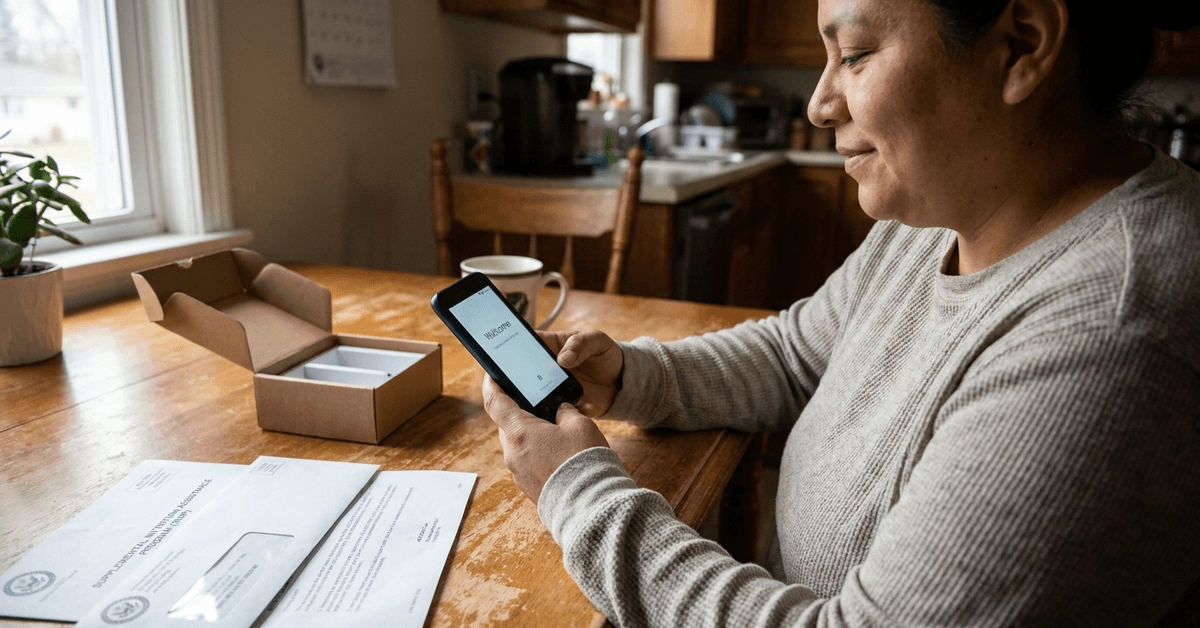
5. Receive and Activate Your Phone
Once approved, your free phone is shipped directly, often with SIM and activation instructions included. Any activation is usually completed online or by calling a customer support number unique to the provider.
What to Expect After Getting Your Free Phone
After receiving the phone, beneficiaries report a mix of relief and, sometimes, a little learning curve. Many plans require annual recertification. It’s easy to forget, but losing service after a year can be frustrating, so putting a reminder in a calendar might help.
Service coverage, customer support quality, and phone durability vary. While the experience isn’t flawless, most users feel the improvement in access to jobs, doctors, and schools is a huge plus.
Legal and Program Limitations to Consider
Federal rules stipulate only one Lifeline or ACP benefit per household. Attempting to sign up for more may result in losing all connected benefits. Some states impose extra requirements or program caps, so details can shift slightly depending on location.
Phones delivered through these programs are meant primarily for the approved individual or household. Selling or transferring the device may violate program terms and can sometimes lead to removal from assistance lists.
Tips for Maximizing Your Free Phone’s Value
Using a phone for basic communication is a given, but it’s also possible to optimize your experience. Keeping an eye on monthly usage helps avoid surprises, especially if your plan has data limits.
Regular software updates, setting strong passwords, and using free applications for video calls or text can make a lower-end phone feel more like a premium essential. If anything goes wrong, reaching out to provider customer support can help resolve problems efficiently.
How to Apply Officially for a Free Phone With SNAP Benefits
To make this process easier, all qualified US residents may visit the Lifeline National Verifier for an eligibility check and to apply directly. This is the federal entry point, and individual provider websites—like Assurance Wireless —allow browsing phone options and specific offers.
Conclusion: Empowerment Through Accessible Communication
Access to a free phone with SNAP benefits isn’t just about convenience. For many, it’s the missing piece that bridges important parts of life—from employment and appointments to emergencies.
While the process can include a few steps and perhaps some minor frustrations, the payoff in security and independence is real.
For those still unsure, reviewing providers and making use of official sites is the safest and fastest way forward.
Programs adapt over time, so a periodic check-in ensures ongoing eligibility and uncovers new offers as they become available. The bottom line: communication shouldn’t be a luxury, and these programs reflect that belief.